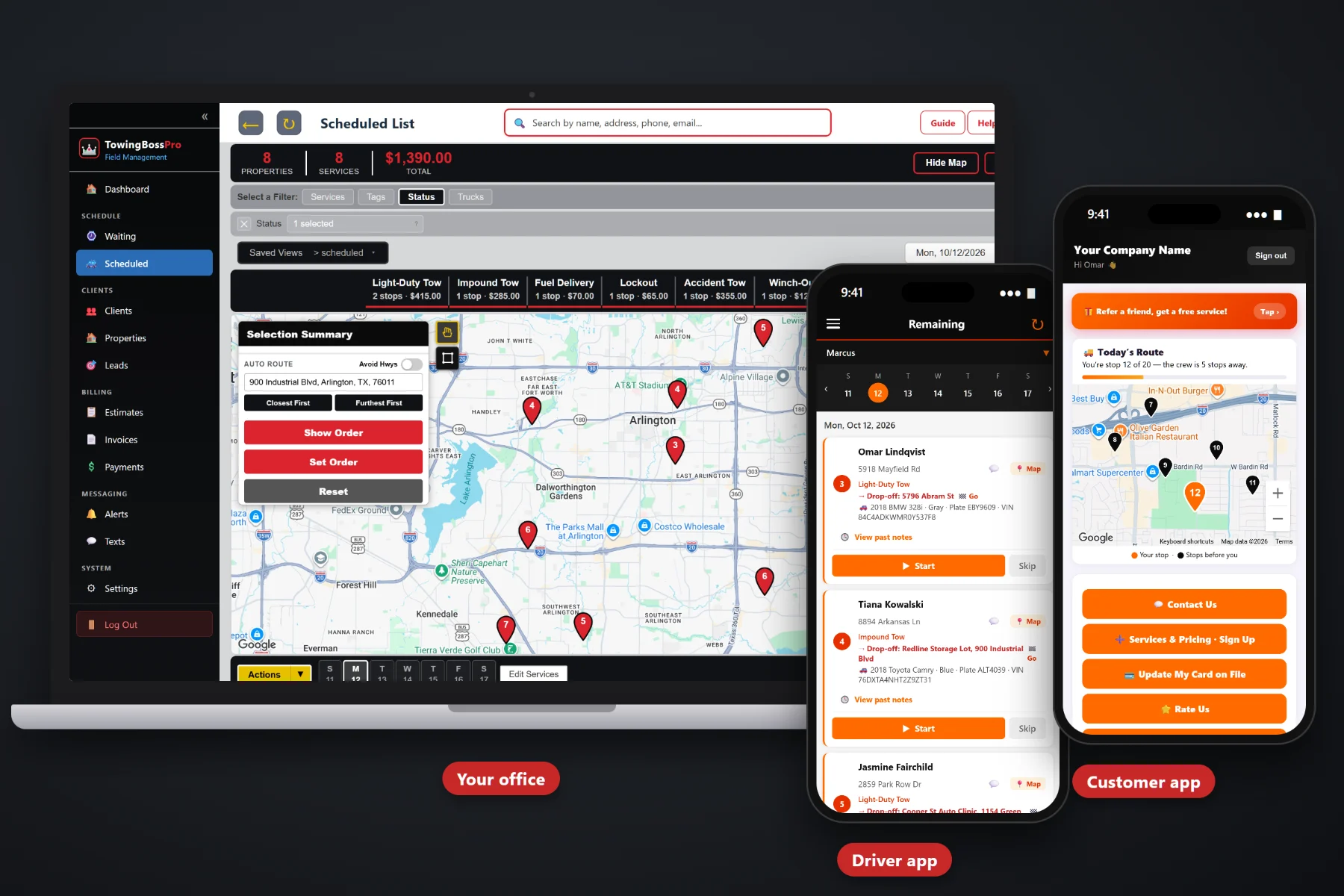
A phone list holds a name and a number. TowingBossPro holds the relationship — the motor club, the police department, the body shop, the dealer group, the property manager and the fleet, with every call and invoice kept under the account, every repeat location saved and every retail caller on record.
The random roadside call pays the bills some days. The body shop that sends four cars a week, the dealer with lot moves every morning and the fleet that breaks down on the same highway pay them every day. TowingBossPro keeps those relationships — and every retail caller — on one customer list. New here? Start with Towing Account Management Software: The Complete Guide for Commercial Accounts and Retail Customers.
Motor clubs, police and municipal agencies, body shops, dealerships, property managers and fleets, each with its calls and invoices kept under the account.
Multiple locations per customer. Body shop bays, dealer lots, fleet yards and properties saved once with driver notes and picked on every call.
The stranded driver gets the same record, texts, live driver map and online payment as your biggest account, and is on file when they call again.
On-the-way and arrival texts, two-way texting, and a customer app with a live driver map, invoices, online pay, card on file and alert choices.
Quote transports, lot moves and recoveries with estimates customers approve online, with follow-up on the ones that go quiet.
Tag accounts by type and area, add custom fields for PO and unit numbers, and see work and payments by account in reports.
When a body shop asks whether last Tuesday's car was billed, or a fleet manager asks how many times unit 214 went out this year, the answer should take seconds. TowingBossPro keeps commercial accounts' calls and invoices under the account, with the pickup, the drop-off, the vehicle details and the driver's photos on each call. TowingBossPro does not connect to motor club portals or police rotation systems — calls are entered by your dispatcher and organized from there.
Account records only stay useful if dispatchers, drivers and the office use them on every call. TowingBossPro keeps each step short, so the history builds itself while dispatch runs normally.
Export your customer list from your old system or spreadsheet and bring it in with the CSV import. Names, phones and addresses are enough to start taking calls.
Add locations, driver notes, tags and custom fields for the body shops, dealers, fleets and agencies that send the most work.
Pick the customer and its saved locations as pickup and drop-off. Vehicle details, photos and the invoice land on the account automatically.
Drivers send on-the-way and arrival texts, customers watch the live map, and two-way texting brings replies back to the record.
Towing is relationship work. The same body shop, dealer and fleet call week after week for years. A phone list and a binder of rate sheets were never built to hold that history.
The night driver drops the body shop's car at the front entrance, because nobody told him the shop takes tows at the rear bay. The keys end up in the wrong place. The next morning the shop manager calls someone else for the next car.
Meanwhile the invoice for last week's tow went to the general inbox without the repair order number, so it is sitting unpaid. And nobody has noticed that a dealer who called twice a week has not called in a month.
TowingBossPro puts the locations, the notes, the calls and the invoices on the account, keeps customers informed and shows you which relationships are growing and which are slipping.
Every tool connects back to the same customer record, so what you learn on one call shows up on the next one, on the driver app and on the invoice.
Motor clubs, police and municipal agencies, body shops, dealerships, property managers and fleets, with their calls and invoices kept under the account.
One customer, as many locations as it uses. Dealer groups, shop chains, fleet yards and managed properties stay under one relationship.
Body shops, dealerships and lots your trucks visit every week are saved with driver notes and picked as pickup or drop-off in seconds.
One-time callers get a customer record, texts, a live driver map and online payment, and are on file when they call again.
Year, make, model, color, plate and VIN on every call, backed up by vehicle photos from the driver app.
Incoming calls on a live map and a dispatch board, each with a pickup and a drop-off address.
Drivers see the call, add vehicle photos and send on-the-way and arrival texts to the customer.
Customers see a live map of the driver on the way, view invoices, pay online, keep a card on file and choose their alerts.
Routine customer messages go out on their own, so a busy night does not mean an uninformed customer.
Customer and account replies land in TowingBossPro next to their record, visible to every dispatcher on shift.
Price shoppers and prospective accounts tracked as leads, so follow-up does not depend on a sticky note.
Quote transports, lot moves and recoveries. Customers approve online and follow-up chases the quiet ones.
Stored vehicles tracked with a daily rate, so owners are charged for the days the vehicle actually sat in your yard.
Invoices, card on file, auto-billing, online payments, sales tax and payment follow-ups for unpaid invoices.
Tag customers by account type, service area, priority or status, then pull the list when it is time to act.
PO, repair order, stock, unit and case numbers, invoice approvers and anything else your accounts ask for.
See work and invoiced versus paid by account, and compare motor club, body shop, dealer, fleet and retail work.
Bring your existing customer list in from a spreadsheet or your old system instead of retyping it.
Give dispatchers, drivers, billing and yard staff their own users and roles without your bill climbing.
Every account type calls differently. Motor clubs send volume, agencies need careful records, body shops and dealers want reliable drop-offs, property managers need documentation and fleets want to know where every unit went. TowingBossPro organizes all of them the same way: the account, its locations, and its calls and invoices underneath. For the full walkthrough, read Towing Account Management Software: The Complete Guide for Commercial Accounts and Retail Customers.
A price shopper or a new body shop becomes a lead. A quote for a transport or lot move becomes an estimate the customer approves online. The first job goes to the driver with the right locations and notes. The customer watches the driver on the live map, pays online and, if it suits them, keeps a card on file. Every call after that adds to the same history.
Add every dispatcher, driver and office person without your bill climbing. Every plan starts with a 14-day free trial and no credit card.
Compare everything included on each plan on the pricing page.
Practical guides on commercial account types, repeat locations, retail customers, customer texts and the customer app, estimates, billing, tags, custom fields, reports and importing your customer list.
Any customer that sends you work: motor clubs, police and municipal agencies, body shops, dealerships, property managers and fleets, plus retail customers. Commercial accounts keep their calls and invoices under the account, and every customer can have multiple locations.
No. TowingBossPro does not integrate with motor club dispatch portals or police rotation systems. Your dispatcher enters the call, and TowingBossPro keeps it organized under the right account with the pickup, drop-off, vehicle details, photos and invoice.
Save the addresses your trucks visit often, like body shop bays, dealer lots and fleet yards, as locations on the customer they belong to, with notes for your drivers. On the next call, pick them as the pickup or drop-off instead of typing the address.
On-the-way and arrival texts from the driver app, two-way texting with your office, and a customer app with a live map of the driver on the way, invoices, online payment, card on file and a choice of which alerts they receive.
Yes. Export your customers from your old system or spreadsheet and bring them in with the CSV import, then add locations, tags and custom fields for your key accounts. Rules for storage, private property tows and customer messaging vary by location, so check your local requirements as you set up.
Plans are Start at $59/month, Pro at $89/month and Crew at $199/month. You are never billed per user, and every plan starts with a 14-day free trial with no credit card required.
Account management is one part of TowingBossPro, alongside dispatch, the driver app, impound and storage, and invoicing. See the full platform overview.
Keep every account, location, call and invoice in one place, keep customers informed and see which relationships are growing with TowingBossPro. Try it free for 14 days.